Fire & Smoke
Spots fire and smoke early. An alert goes out only once the danger is confirmed, so teams are not disturbed by false alarms.
- Warehouses
- Factories
- Kitchens
- Server rooms

What can our cameras understand about operations?
Computer Vision Intelligence for Industrial Operations
Vision is meant for teams with live cameras, recorded videos, or devices on site who need events, severity-graded alerts, per-project dashboards, reports, and notifications through WhatsApp, email, and ERP — including when video must stay on premises.
Alerts, dashboards, reports, multi-site access, and ready-made solutions — whether video comes from live cameras, recordings, or edge devices on site.
Platform ships with solutions for fire and smoke, safety equipment, people counting, parking, attendance, edge testing, and retail. Set a solution up once and roll it out to as many customers as needed.
Spots fire and smoke early. An alert goes out only once the danger is confirmed, so teams are not disturbed by false alarms.
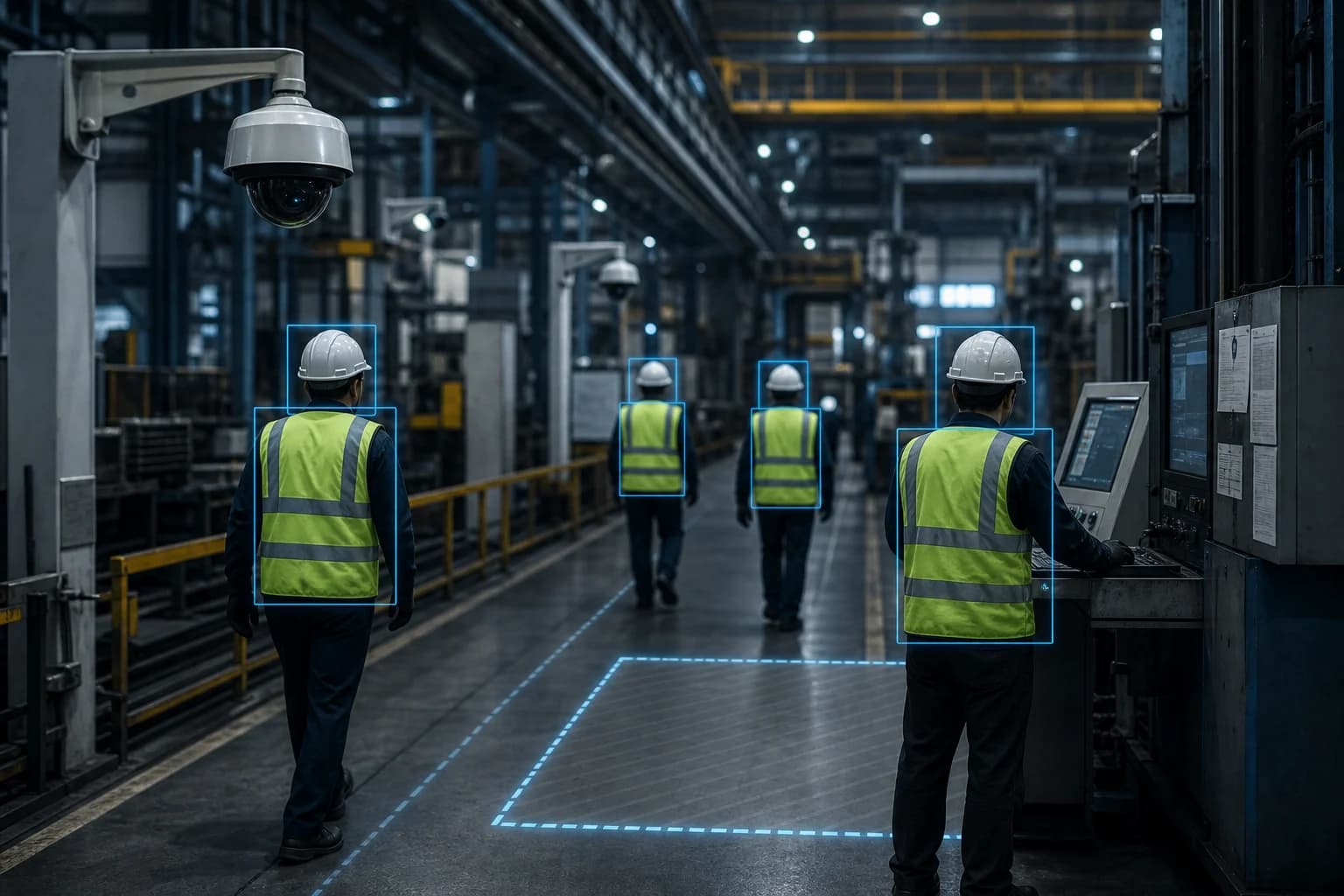
Checks that people on site are wearing hardhats, vests, and masks, and highlights every violation on the video.
Counts people entering and leaving and shows how many are inside right now.
Reads number plates, records when each vehicle enters and leaves and how long it stays, and shows what is parked at any moment.
Recognizes employees by face to record attendance and the time they spend in work areas. Shifts are managed on the platform, and staff can be added in bulk from a spreadsheet.
A solution built around edge devices, with no camera pages of its own — for proving a device setup before it goes into a customer project.
Helps a retail chain understand how shoppers use its stores. Shows visits, who is in the store now, busiest moments, dwell by area, queue length, and linger heatmaps over the camera view. Dashboards update every few seconds. Alerts fire when a store is too crowded, a queue is too long, or people stay too long in an area. Each store manager sees only their own store.
Vision works with the video you already have — live cameras, uploaded recordings, or edge devices that analyze on site and send only results into the same dashboards, alerts, and reports. Notification and ERP paths below are integration approaches, not a claim that every connector is complete.
Edge and bandwidth constraints, plus the sites and workflows each ready-made solution is built for.
An illustrative exchange showing how a vision question can be answered with the context behind it.
Safety LeadWhich Vision alerts still need acknowledgment this morning?
Three severity-graded alerts remain open — two PPE hardhat violations on the packing line and one confirmed Fire & Smoke event in the warehouse zone. Notifications went out through WhatsApp and email; each alert can be acknowledged or resolved from the project dashboard.
A practical sequence from connection to coordinated follow-up for this application.
Use live cameras, uploaded recordings, or site-installed edge devices — including Raspberry Pi or Jetson Nano units that send only results.
Choose Fire & Smoke, PPE compliance, Person counting, Smart parking, Employee monitoring, Edge Testing, or Retail IQ — set up once, roll out to many customers.
Severity rules decide what matters; notify through WhatsApp, email, or ERP. Teams acknowledge and resolve each alert.
Every project gets its own dashboard and analytics, plus PDF or CSV reports that can be downloaded or scheduled.
Keep each organization on its own data. Limit employees to projects or stores. Switch edge devices on or off centrally so disabled devices stay disabled.
A model for ready-made Vision solutions — confirmed Fire & Smoke and PPE events, occupancy, parking, and edge results — feeding severity-graded alerts and per-project dashboards.
Acknowledge the open alerts, download or schedule the project PDF report, and keep edge devices that were disabled centrally from being re-enabled locally.
Project types shipped with Visibility Vision — set up once and rolled out across customers.
Spots fire and smoke early. An alert goes out only once the danger is confirmed, so teams are not disturbed by false alarms.
ExploreChecks that people on site are wearing hardhats, vests, and masks, and highlights every violation on the video.
ExploreCounts people entering and leaving and shows how many are inside right now.
ExploreReads number plates, records when each vehicle enters and leaves and how long it stays, and shows what is parked at any moment.
ExploreRecognizes employees by face to record attendance and the time they spend in work areas. Shifts are managed on the platform, and staff can be added in bulk from a spreadsheet.
ExploreA solution built around edge devices, with no camera pages of its own — for proving a device setup before it goes into a customer project.
ExploreHelps a retail chain understand how shoppers use its stores. Shows visits, who is in the store now, busiest moments, dwell by area, queue length, and linger heatmaps over the camera view. Dashboards update every few seconds. Alerts fire when a store is too crowded, a queue is too long, or people stay too long in an area. Each store manager sees only their own store.
ExploreEach one brings its own operating context, data sources, and evidence expectations.
Textile operations combine production, dyeing, WIP, lots, trolleys, utilities, maintenance, quality, warehouse, buyer compliance, and management reporting.
ExploreFood and beverage sites need traceable, timely intelligence across production, utilities, quality, safety, and compliance.
ExplorePharmaceutical operations require disciplined evidence, controlled procedures, inspection readiness, and reliable production context.
ExploreManufacturers need connected visibility across machines, production, maintenance, warehouse movement, quality, and management actions.
ExploreWarehouses and logistics teams need accurate movement, location, dispatch, safety, and exception intelligence.
ExploreStraight answers on what this capability covers, how it connects, and where teams usually begin.
Turns camera footage into decisions. It works with live cameras, recorded videos, and devices installed at the customer's site — producing events, severity-graded alerts, per-project dashboards and analytics, reports, and notifications through WhatsApp, email, and ERP.
Live IP cameras, Uploaded recordings, Edge devices (Raspberry Pi / Jetson Nano), WhatsApp notifications, Email alerts, ERP integrations, Multi-organization workspaces, Per-project and per-store access. These are integration approaches and source types rather than connectors that are claimed as complete.
Fire & Smoke, PPE compliance, Person counting, Smart parking, Employee monitoring, Edge Testing, and Retail IQ. A solution is set up once and rolled out to as many customers as needed.
No. Edge devices such as a Raspberry Pi or Jetson Nano analyze video on site and send only results into the same dashboards, alerts, and reports — useful when bandwidth is limited, video must stay on premises, RTSP to the cloud is unreliable, or sites need an Edge Testing trial first.
Each organization sees only its own data. Administrators manage everything; employees can be limited to specific projects or, in retail, to specific stores. Admins can switch edge devices on or off centrally, assign only some of a site's devices to a customer, and keep synchronized cameras read-only so a device disabled centrally cannot be re-enabled locally.
Visibility Neo Agent is the operations assistant inside Visibility Live. It answers Live plant and inventory questions for the signed-in user — it is not part of Growth Engn or a chatbot inside every product.
Most teams begin with one high-value vision workflow, connect the sources already on site, and expand once the shared record is useful day to day.
Connect your existing systems — including SCADA and PLC feeds where they already run — with Visibility Bots.
Tell us which operations, SCADA or PLC feeds, documents, or workflows you want to connect first.