Ingest
Bring SOPs, manuals, policies, and technical documents into one layer.

What does our organization know?
Enterprise Knowledge Intelligence
Docs is meant for teams who bury SOPs, manuals, policies, and work instructions in folders — then lose time when operators, maintenance, or auditors need the right source instantly.
Docs covers the operational signals and workflows teams need in one connected application.
Source types and integration approaches this product works with, rather than a list of completed connectors.
Common starting wedges where Docs delivers day-to-day operational value.
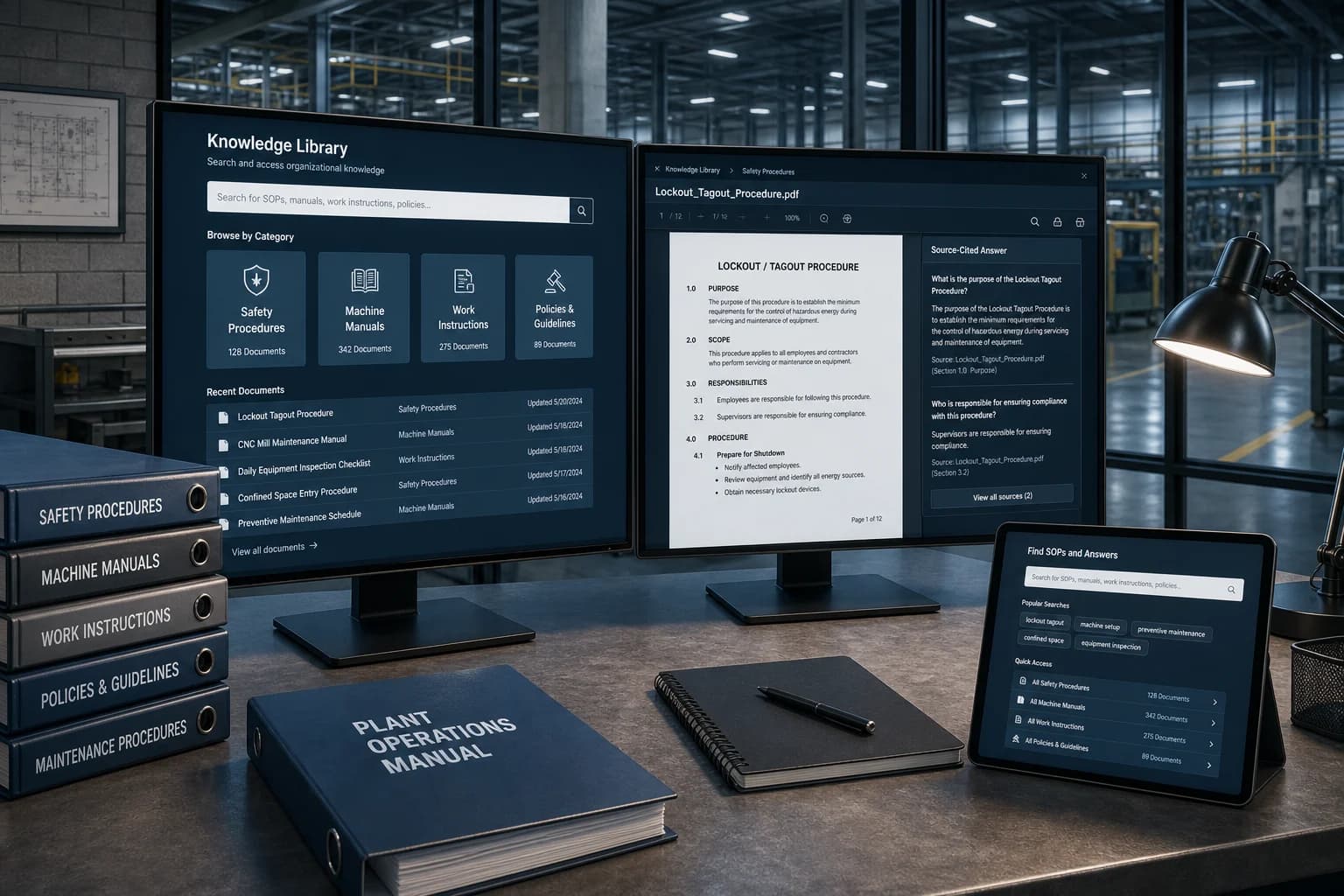
An illustrative exchange showing how a docs question can be answered with the context behind it.
Maintenance TechnicianWhat does the approved procedure say for changeover on dyeing line 3?
The current SOP for dyeing line 3 changeover lists seven required checks, including steam isolation and lot verification. The governing document version is cited so the step list can be opened directly.
A practical sequence from connection to coordinated follow-up for this application.
Bring SOPs, manuals, policies, and technical documents into one layer.
Map knowledge to processes, assets, and standards teams already use.
Answer questions with citations instead of folder hunting.
Make procedures available to Neo so answers stay source-linked.
Attach the governing document to the work that needs it.
A model showing SOP, policy, manual, and technical-document answers grounded in source material rather than generic PDF chat.
Use source-linked procedures to guide the investigation and attach citations to the final management summary.
Each one brings its own operating context, data sources, and evidence expectations.
Textile operations combine production, dyeing, WIP, lots, trolleys, utilities, maintenance, quality, warehouse, buyer compliance, and management reporting.
ExploreFast-moving operations need reliable visibility across production lines, quality, packaging, warehouse, utilities, and dispatch.
ExploreFood and beverage sites need traceable, timely intelligence across production, utilities, quality, safety, and compliance.
ExplorePharmaceutical operations require disciplined evidence, controlled procedures, inspection readiness, and reliable production context.
ExploreManufacturers need connected visibility across machines, production, maintenance, warehouse movement, quality, and management actions.
ExploreStraight answers on what this capability covers, how it connects, and where teams usually begin.
Transforms SOPs, manuals, policies, reports, contracts, and work instructions into an AI-accessible knowledge layer.
SOP libraries, Manuals, Policies, Reports, Technical documents, Work instructions. These are integration approaches and source types rather than connectors that are claimed as complete.
Visibility Neo Agent is the operations assistant inside Visibility Live. It answers Live plant and inventory questions for the signed-in user — it is not part of Growth Engn or a chatbot inside every product.
Most teams begin with one high-value docs workflow, connect the sources already on site, and expand once the shared record is useful day to day.
Connect your existing systems — including SCADA and PLC feeds where they already run — with Visibility Bots.
Tell us which operations, SCADA or PLC feeds, documents, or workflows you want to connect first.